The Best Free Online ASS Styled Subtitle Editor in 2026

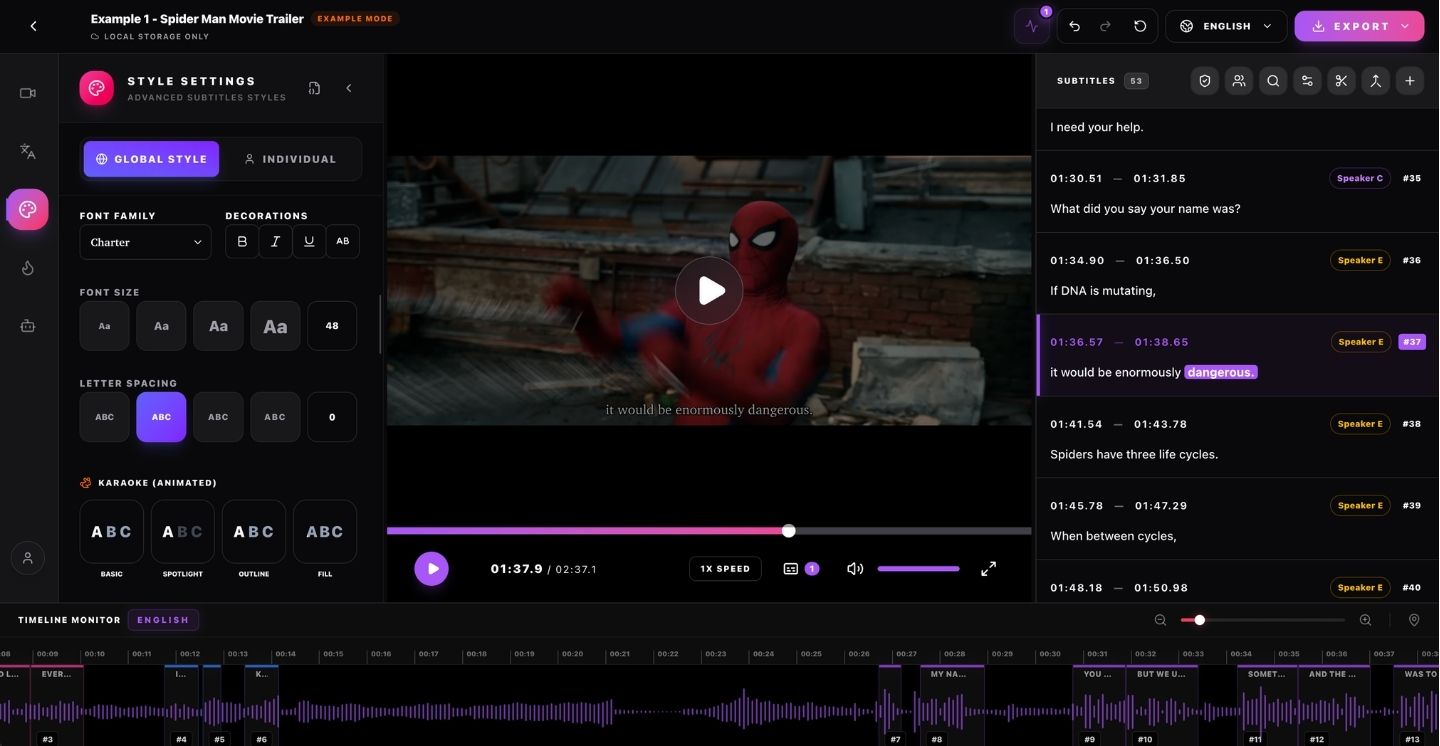
If you're a creator looking to stand out on platforms like TikTok, Instagram Reels, or YouTube Shorts, standard plain-text .srt files just won't cut it anymore. High-retention video demands dynamic, visually engaging captions—and that requires the power of the ASS (Advanced SubStation Alpha) formatting language.
Historically, editing ASS files required downloading heavy, complex desktop software like Aegisub. But in 2026, the landscape has completely shifted online. Let's take a look at the most powerful online ASS styled subtitle editor available today: SRTGen.
Why Do You Need ASS Subtitles?
While standard SRT files just display text at the bottom of the screen, ASS subtitles give you absolute creative control. With ASS, you can:
- Add dynamic word-by-word highlights (often known as the 'karaoke' reading style).
- Customize fonts, colors, and thick glowing outlines to make your text pop against chaotic video backgrounds.
- Animate scale and position so your text bounces, pop-outs, and slides along with the speaker's cadence.
Introducing the SRTGen Workspace
SRTGen was built from the ground up to completely modernize ASS editing. Instead of dealing with confusing code syntaxes, you get a beautiful, timeline-based visual editor entirely inside your web browser.
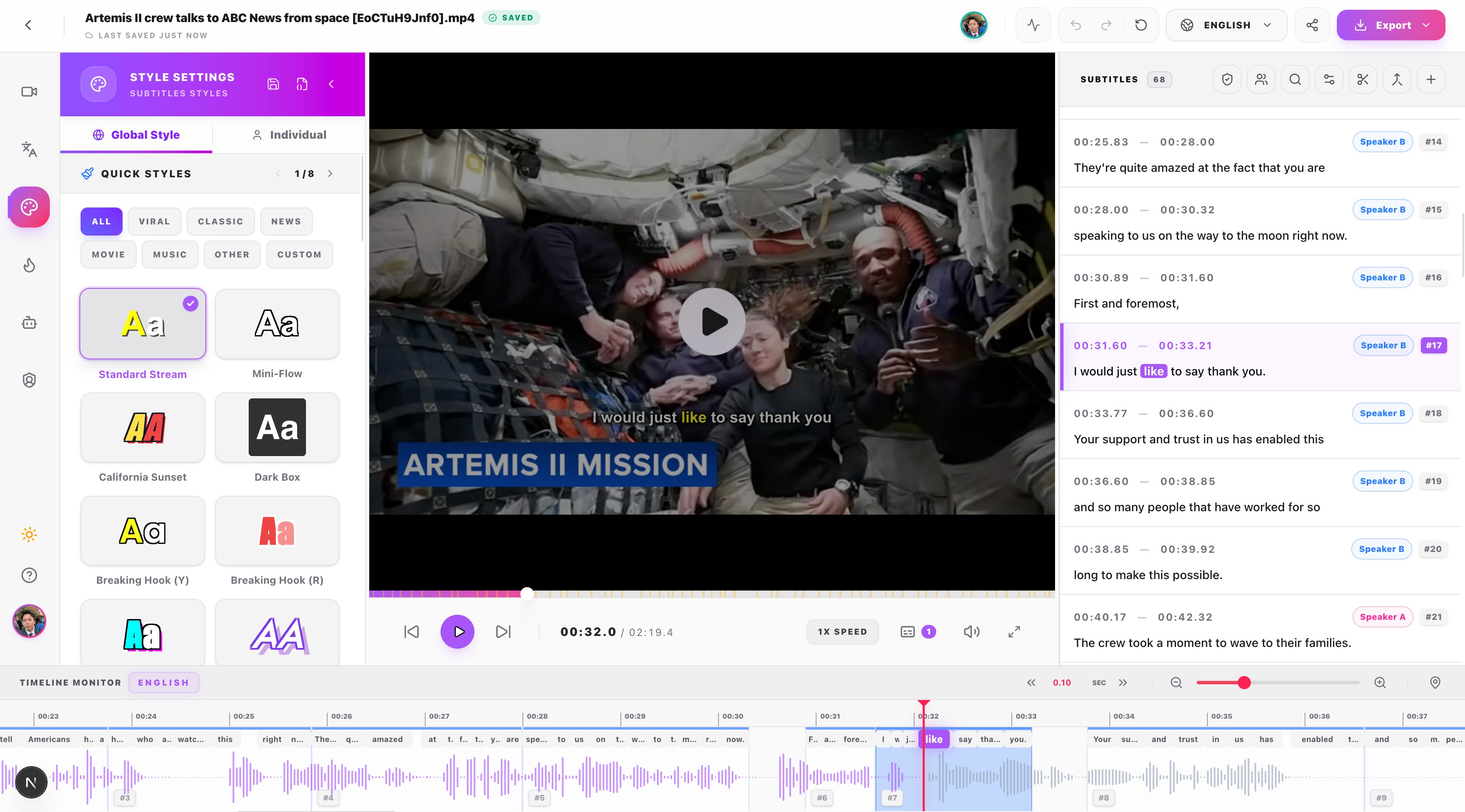
1. Visual Style Controls
Forget manually typing hex codes. SRTGen's style sidebar lets you pick primary colors, adjust stroke widths, and add shadow drop depths using modern sliders and color wheels. The editor instantly translates your visual choices into production-ready ASS code behind the scenes.
2. Viral Animation Presets
If you don't want to build animations from scratch, SRTGen comes loaded with one-click presets. With a single click, you can apply a "Pop Out" bounce or a smooth "Fade" animation. You can also toggle Word Karaoke tracking so that the exact word currently being spoken changes color—a proven tactic for massive viewer retention.
3. Cloud-Based Rendering
Once you've crafted the perfect ASS subtitle styling, you have two choices: you can download the .ass file instantly to use in your own local video editor (like Premiere Pro), or you can click Export Video and let our cloud servers hardcode your stunning subtitles directly onto the MP4.
Start Styling for Free
Creating highly professional, animated text doesn't need to be technically frustrating or expensive. Try the internet's most powerful, entirely browser-based ASS editor today at SRTGen.com and see why top creators have universally abandoned legacy software for our modern workspace.
SRTGen Editorial Team
Editorial research
Practical guides about subtitles, transcription and localization. Product claims are checked against the current application before publication.


